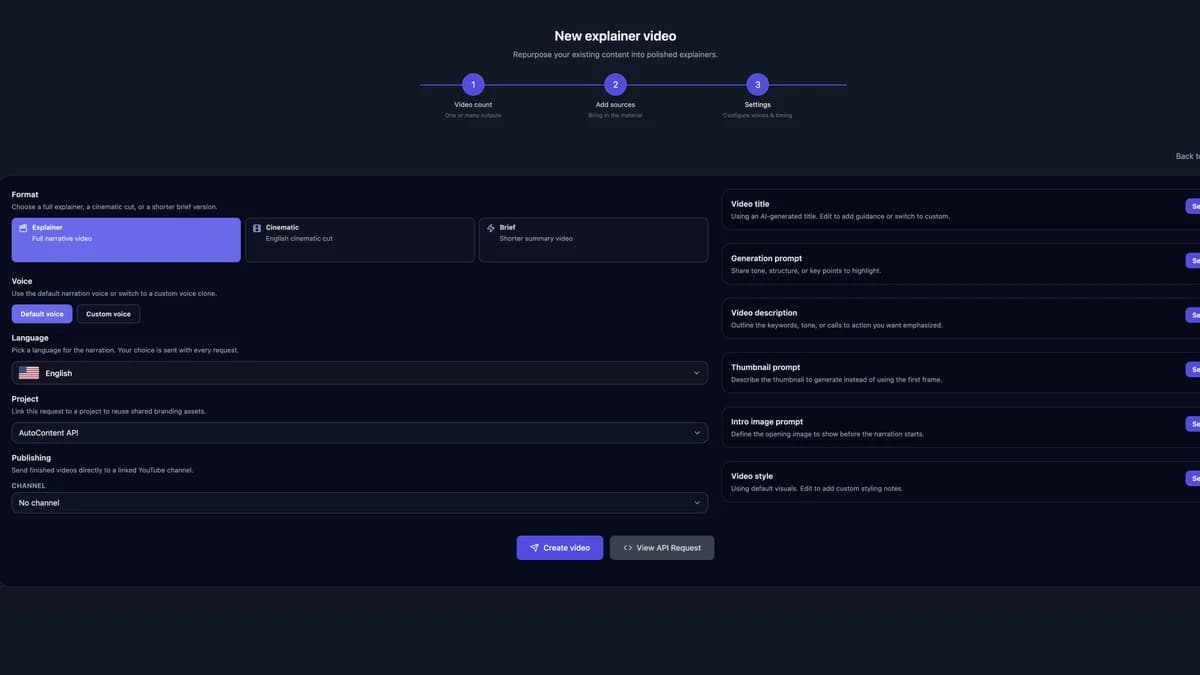
Spotify Podcast Upload API via RSS

AutoContent API does not upload audio through a connected Spotify account or a direct Spotify upload call. It creates the episode and your podcast RSS feed. Submit that feed to Spotify once, then Spotify reads new episodes from the feed as you publish them.
Why AutoContent API Makes Podcast Creation Effortless
Traditional podcast creation involves scriptwriting, recording, editing, and feed management—a process that can take hours or even days. AutoContent API handles research, scripting, voice synthesis, audio production, and the show feed. See the AI podcast generator workflow and examples for the available inputs and controls. Spotify remains responsible for accepting the feed and listing the podcast.
Step 1: Create Your Podcast Show
First, you'll need to create your podcast show on AutoContent API. This establishes your podcast's identity and generates the RSS feed you'll need for Spotify.
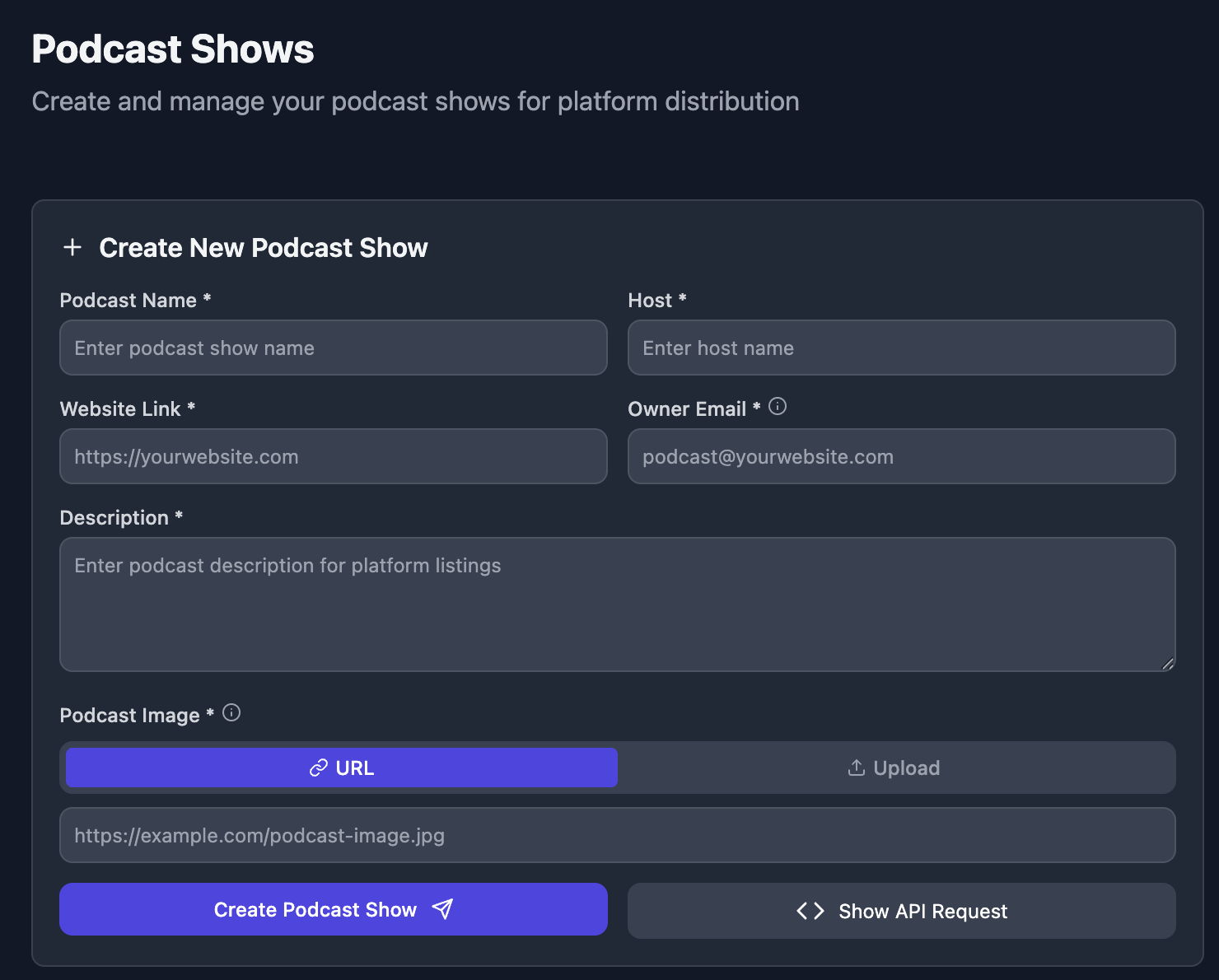
Create your podcast show here by providing basic information like title, description, and category. The platform will automatically generate professional artwork and metadata.
Step 2: Create Your First Episode
Creating episodes is a simple two-step process that takes just minutes to complete.
Choose Your Sources
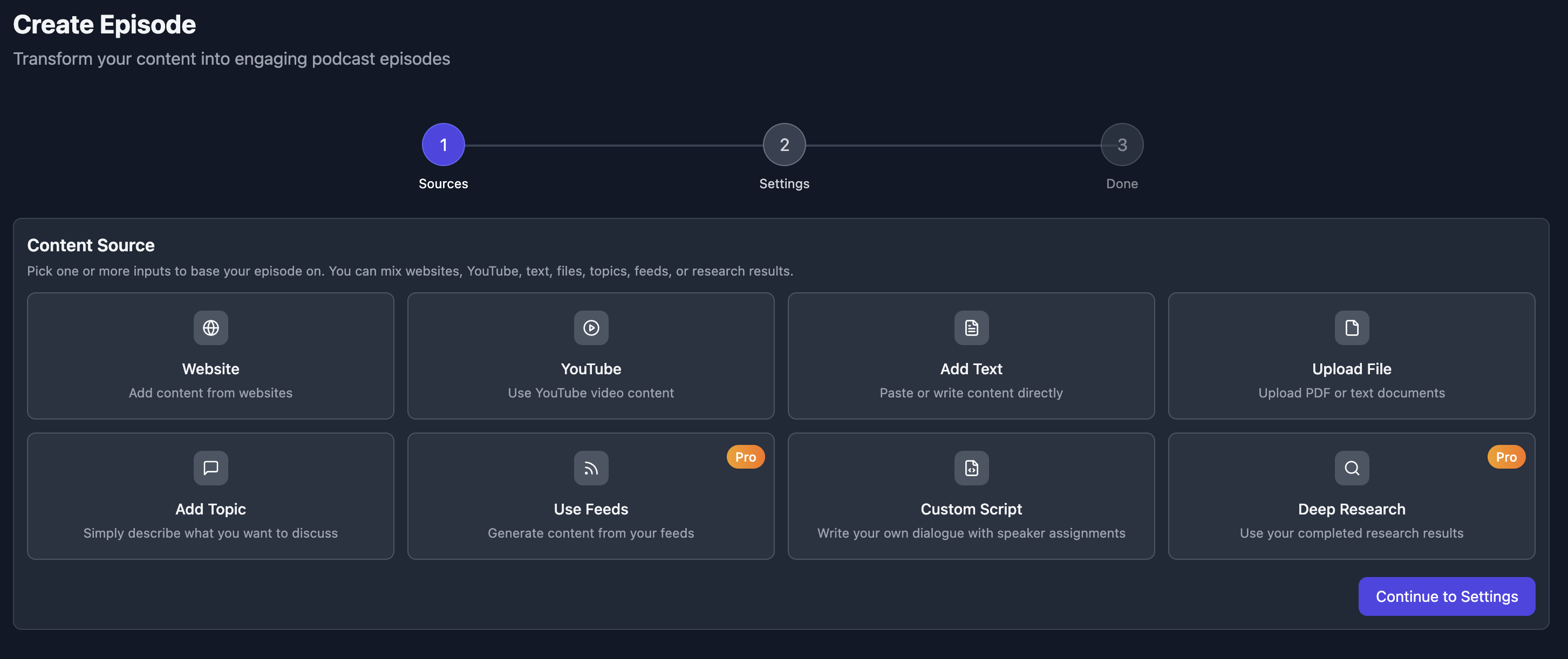
You can create episodes from various sources:
- Topics or keywords - let AI research and create content
- URLs - transform articles, papers, or web content
- Documents - upload PDFs, text files, or other materials
- Custom prompts - provide specific instructions for your episode
Customize Voice and Style
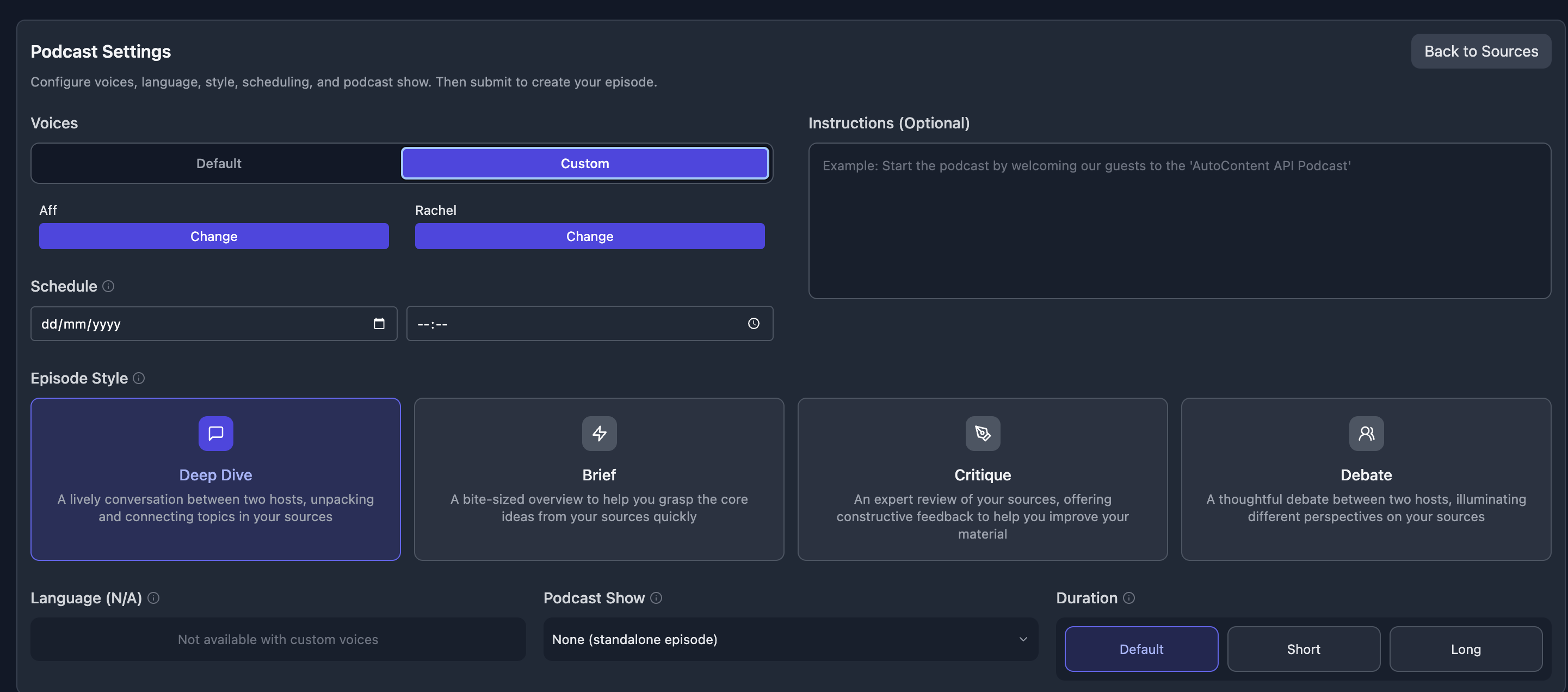
In the second step, you'll customize your episode:
- Voices: Choose from professional AI voices or clone your own
- Duration: Set episode length from short segments to long-form content
- Style: Select from Deep Dive, Brief, Critique, or Debate formats
- Language: Generate content in multiple languages
Start creating your episode here.
Step 3: Get Your RSS Feed
Once you've created your podcast show, AutoContent API automatically generates a unique RSS feed. This feed is the key to distributing your podcast across all major platforms, including Spotify.
Step 4: Submit to Spotify
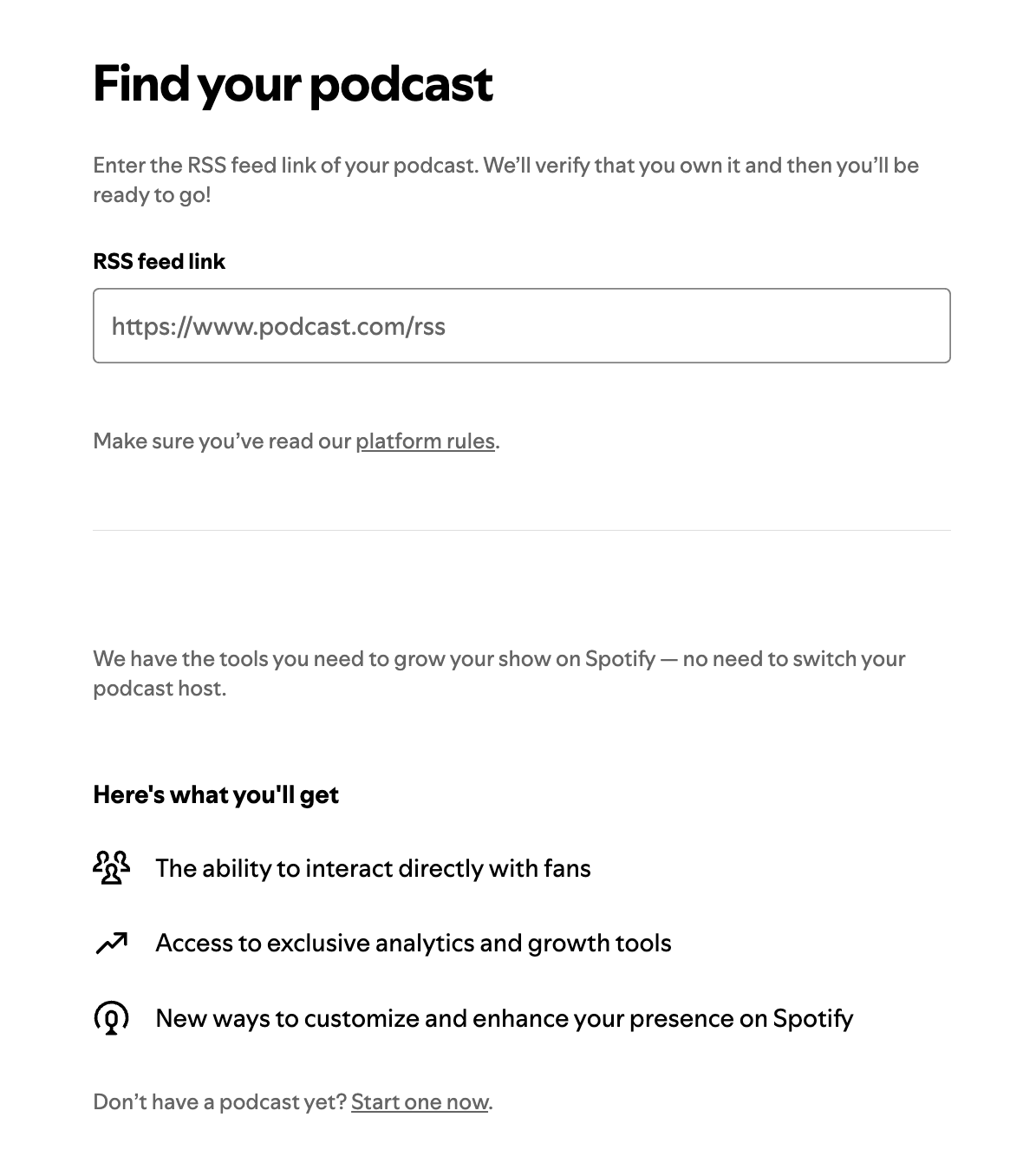
Spotify documents a one-time submission flow for podcasts hosted with a partner. Follow its current guidance rather than trying to upload every episode separately:
- Open Spotify's podcast submission guidance
- Enter your RSS feed URL from AutoContent API
- Complete the submission form
- Complete Spotify's verification and review steps
Automatic Updates and Scheduling
Once Spotify has accepted the show feed, new episodes published to that feed can be picked up without resubmitting the show. You can schedule episodes in advance or set up recurring content generation for a consistent feed.
See It in Action
Here's an example of a podcast created entirely with AutoContent API and published on Spotify:
Start Creating Today
With AutoContent API, the podcast and its RSS feed can be ready in minutes without recording equipment or editing software. Availability on Spotify follows Spotify's submission, verification, and feed-refresh process.
Ready to Start Your Podcast?
Join thousands of creators who are already using AutoContent API to produce professional podcasts effortlessly.
Get Started with AutoContent APIMore Articles

Programmatic SEO After AI Overviews: Source-Backed Content Without Scaled Content Abuse

One Source, Seven Assets: Turn a Report into a Podcast, Video, Infographic, Slide Deck, Quiz, Briefing Doc, and Short

Build a Daily AI Briefing Feed from X, Reddit, YouTube, and Deep Research

From Product Feeds to AI Buying Guides: Automating Ecommerce Comparison Content for ChatGPT and Google Shopping

Production Guide: Polling, Webhooks, Retries, and Status Handling for Content Generation APIs